




A lot of resumes never make it past the first round, and it usually has nothing to do with experience or skills. These days, Application Tracking Systems (ATS) are often the first to review applications, filtering resumes based on formatting, structure and keyword matches before a hiring manager ever sees them.
Something as small as an unusual layout or missing phrase can push a strong candidate out of the running. Knowing how these systems read resumes — and designing with that in mind — can make a huge difference for job seekers.
What Is an ATS and How Does It Work?
An ATS is software combined with artificial intelligence (AI) that companies use to collect, organize and review job applications. Instead of every resume landing in a recruiter’s inbox, applications are scanned and sorted automatically based on things like job titles, keywords and formatting. Employers of all sizes use them to manage this process, including well-known platforms such as Taleo, Greenhouse and Lever.
At a basic level, an ATS parses resume content, pulling information into structured fields like work history, education and skills. From there, it helps rank and filter candidates based on how closely their resumes match the job description. If the system cannot properly read a resume, important details may be missed entirely. This could be due to several reasons, such as inconsistent headings, layouts or graphics.
This kind of screening is now the norm. In fact, about 88% of companies already use a form of AI-driven technology during the initial stages of candidate screening. As a result, resumes designed to work with ATS software have a far better chance of making it past the first digital review and into human hands.
The High Cost of an ATS-Unfriendly Resume
An ATS-unfriendly resume can cost candidates the opportunity they are more than qualified for. Say a skilled designer submits a visually striking resume filled with icons, text boxes and custom fonts. While it looks impressive to the human eye, the ATS can struggle to read it and get confused. It may even mislabel sections, skip key experiences or fail to recognize core skills altogether, resulting in an automatic rejection before anyone ever reviews the work.
The same thing can happen to a marketer who uses creative formatting to stand out, only to have their resume parsed incorrectly because of unconventional headings or columns. In both cases, the issue is not a lack of experience or results — it is that the resume was not built to survive the initial screening process. When key information does not translate cleanly into the system, candidates are filtered out without context.
That is why getting past AI-driven screening is such a critical step in today’s hiring process. Designing with technology and humans in mind is often the difference between being overlooked and getting a real shot at a conversation.
ATS-Friendly Resume Templates That Get Noticed
Some layouts help highlight experience in a way that both software and recruiters can easily understand. Others unintentionally bury important details. Choosing an ATS-friendly template is one of the simplest ways to improve visibility and make sure your resume gets seen.
1. A Clean, Readable Layout
Source: https://resume.io/resume-templates/ats
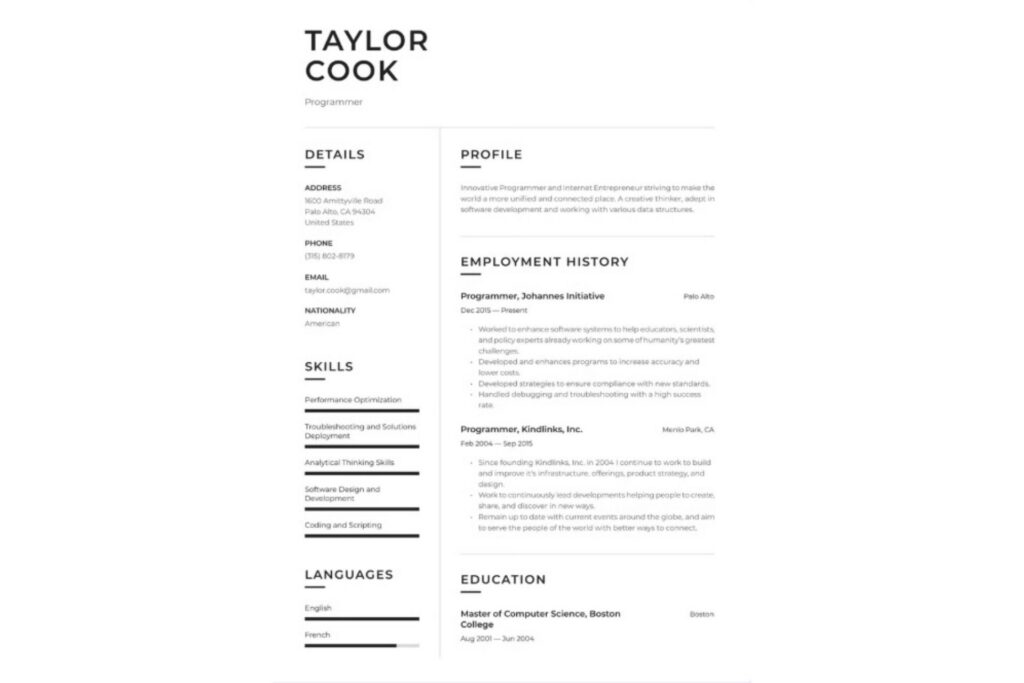
This template is a strong example of a clean, ATS-first resume layout that still looks professional. It offers a clear hierarchy, with standard section headings like profile, employment history, skills and education placed where ATSs expect to find them. The structure keeps everything in a single, readable flow, making it easy for software to scan without misreading or skipping important information.
What makes this template effective is what it leaves out. There are no graphics, icons or visual dividers that could confuse an ATS, and the formatting stays consistent from top to bottom. At the same time, the spacing and typography give it a polished look, so when it does reach a human reviewer, the resume is easy to skim and understand at a glance.
2. A Traditional Resume With a Defined Skills Section
Source: https://resume.io/resume-templates/ats
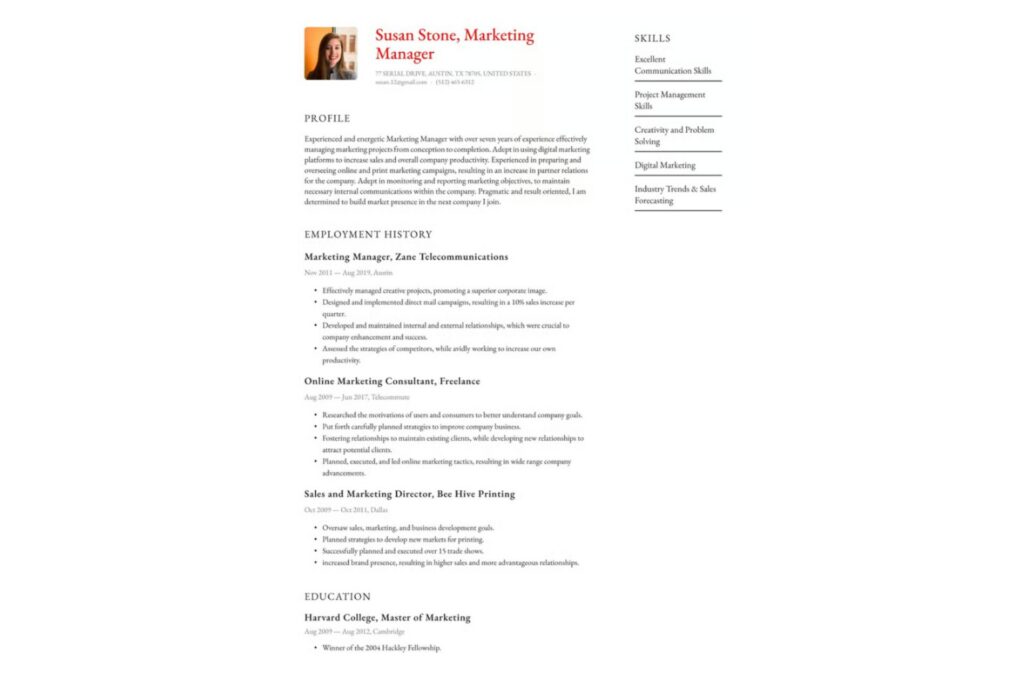
This template leans into a more traditional resume structure while still keeping everything easy for screening software to process. The layout uses familiar section labels and presents them in a predictable order that ATS systems recognize. The text-heavy approach ensures that job titles, dates and responsibilities are clearly captured without relying on visual elements to convey meaning.
What sets this template apart is the dedicated skills column. By clearly listing core competencies in plain text, it makes keyword matching easier during automated screening, especially for roles that prioritize specific tools or capabilities. At the same time, the overall formatting remains simple and uncluttered, which helps prevent parsing errors and keeps the focus on experience. It is a solid option for candidates who want a conventional look that still performs well in automated and human reviews.
3. A Balanced Resume With Clear Section Separation
Source: https://resume.io/resume-templates/ats
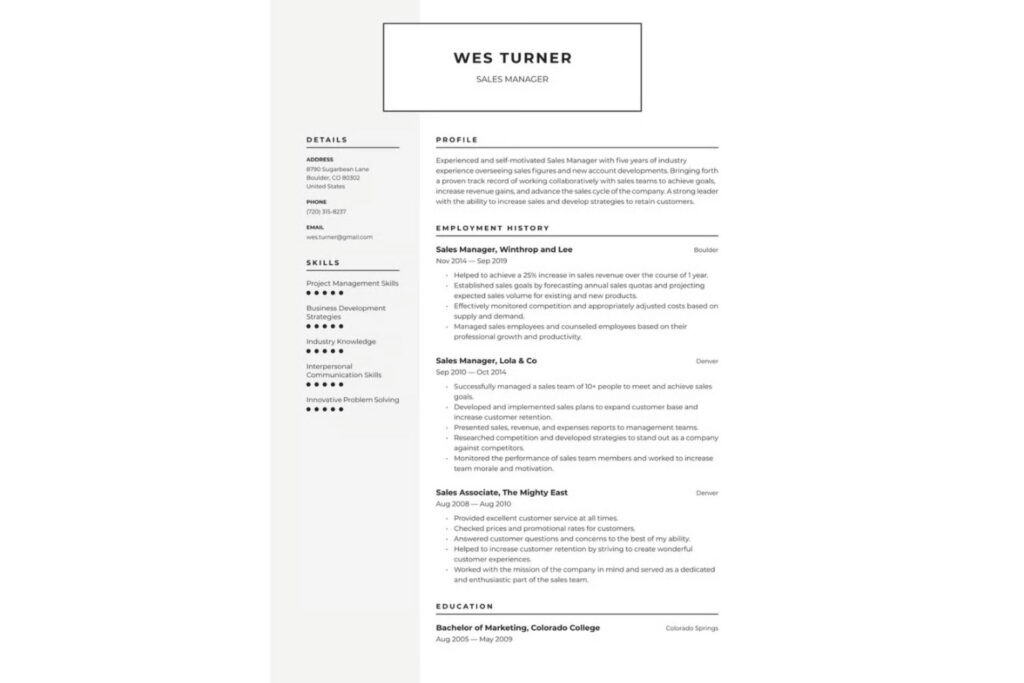
At first glance, this template feels a bit more refined, thanks to the framed header and clearly defined sections. The layout still sticks to resume basics — profile at the top, followed by experience, skills and education — but uses light visual separation to guide the reader’s eye without overwhelming the content. Importantly, those design choices do not interfere with how ATS systems read the text.
The template also keeps everything text-based and orderly. Skills are listed plainly, job titles and dates are easy to identify, and accomplishments are presented in straightforward bullet points. This makes it easier for an ATS to extract key information while still giving recruiters a resume that feels intentional once it reaches human review.
Key Elements of an ATS-Friendly Resume
An ATS-friendly resume is about making sure your experience is easy to read and understand from the start. Small choices in layout, wording and structure can have a big impact on whether a resume is properly scanned or filtered out. Understanding these core elements that ATS software looks for helps remove unnecessary barriers before a human ever reviews your application.
Formatting and Layout
When it comes to ATS compatibility, simplicity does most of the heavy lifting. Clean layouts with a single column are easier for screening software to read, while tables or multiple columns can cause a misreading of important information. Sticking with standard fonts such as Arial or Times New Roman also ensures text is parsed correctly across different systems.
Clear, familiar section headings matter just as much. Labels like Work Experience and Education are instantly recognizable to ATS software, whereas creative titles can confuse parsers. File type plays a role, too. Most systems handle .docx files best, though PDFs are generally safe when the formatting is straightforward and text-based.
Keywords and Content
Keywords are what connect a resume to a job posting during automated screening. Pulling terminology from the job description helps align a resume with what the ATS is looking for. A dedicated skills section gives those keywords a clear place to live, improving visibility during ranking and filtering.
That said, keywords work best when used naturally. Weaving them into job descriptions and accomplishments provides context, which helps ATS software and recruiters understand how those skills were applied. Overloading a resume with keywords without explanation can be just as ineffective as leaving them out entirely.
What to Avoid
Certain design choices tend to cause problems during ATS parsing. Images, icons and charts may look appealing, but they often are not readable by screening software. Headers and footers can also be risky, as some systems struggle to pull information placed in those areas.
Uncommon section titles are another common pitfall. While labels like “My Journey” or “What I Bring to the Table” may feel more personal, they can prevent an ATS from correctly categorizing information. Keeping section names straightforward helps ensure nothing important becomes lost.
Building an ATS-Friendly Resume
An ATS-friendly resume does not need to be complicated or stripped of personality — it just needs to be built with intention. By choosing the right template, keeping formatting simple and using keywords thoughtfully, candidates can avoid getting filtered out. The goal is to work with it so qualifications come through clearly. With the right structure in place, an ATS-friendly resume has a far better chance of making it into human hands.


Leave a Comment