


Video marketing has become a must for businesses in 2026, but creating videos the traditional way is not always realistic. Between high production costs, time constraints and the need for technical skills, video can feel out of reach for some smaller teams.
Text-to-video artificial intelligence (AI) tools are changing that by letting you turn simple written ideas into usable video content in minutes. Best of all, several of these tools are available online for free, making video creation far more accessible today.
What is Text-to-Video AI and How Can It Benefit Your Business?
Text-to-video AI does exactly as it sounds — it turns written text into video content using automation and prebuilt visual elements. Instead of filming, editing, and stitching everything together manually, creators start with a script or prompt and let the tool handle the visuals, pacing and structure. This approach removes much of the friction for businesses that need video but do not have the time or budget to produce it on their own.
The benefits of these tools are:
- Cost-effective: Many text-to-video AI tools offer free plans, making it easier to create video content without investing in expensive software or equipment.
- Time-saving: Videos that would normally take days to produce can often be created in minutes.
- Accessible: No prior video editing or technical experience is required to get started.
- Scalable: Users can quickly create multiple versions of a video to test messaging or adapt content across platforms.
AI-powered video is growing as video has become increasingly important. According to Wyzowl, 91% of companies now use video as a marketing tool. That is why tools that simplify video creation are gaining traction.
The Top Free Text-to-Video AI Tools Available Online
With a clearer understanding of how text-to-video AI works, the next step is knowing which tools are worth trying. Some platforms offer different features on their free plans, while others are more beginner-friendly. The following are some of the best free text-to-video AI tools available online right now, along with what each one does best.
1. Canva AI
Canva AI builds on Canva’s familiar design platform by adding text-to-video capabilities that are easy to use, even for users who have never created a video before. Instead of starting from scratch, they can turn text prompts into short videos using prebuilt layouts, animations and visuals. It is a natural entry point for anyone already using Canva for graphics or social content.
Key features and functionality:
- Text-to-video generation using prompts and templates
- Large library of stock footage, images and animations
- Drag-and-drop editor
- AI-powered tools for captions, visuals and basic animations
- Seamless integration with other Canva design tools
Limitations of the free plan:
- Videos include Canva branding
- Limited access to premium templates and AI features
- Export quality and length may have restrictions
Canva AI is best for beginners, small businesses and social media managers who want quick, simple videos without a learning curve. It is especially useful for creating short-form content, promos and lightweight marketing videos using tools many are familiar with.
2. Adobe Firefly
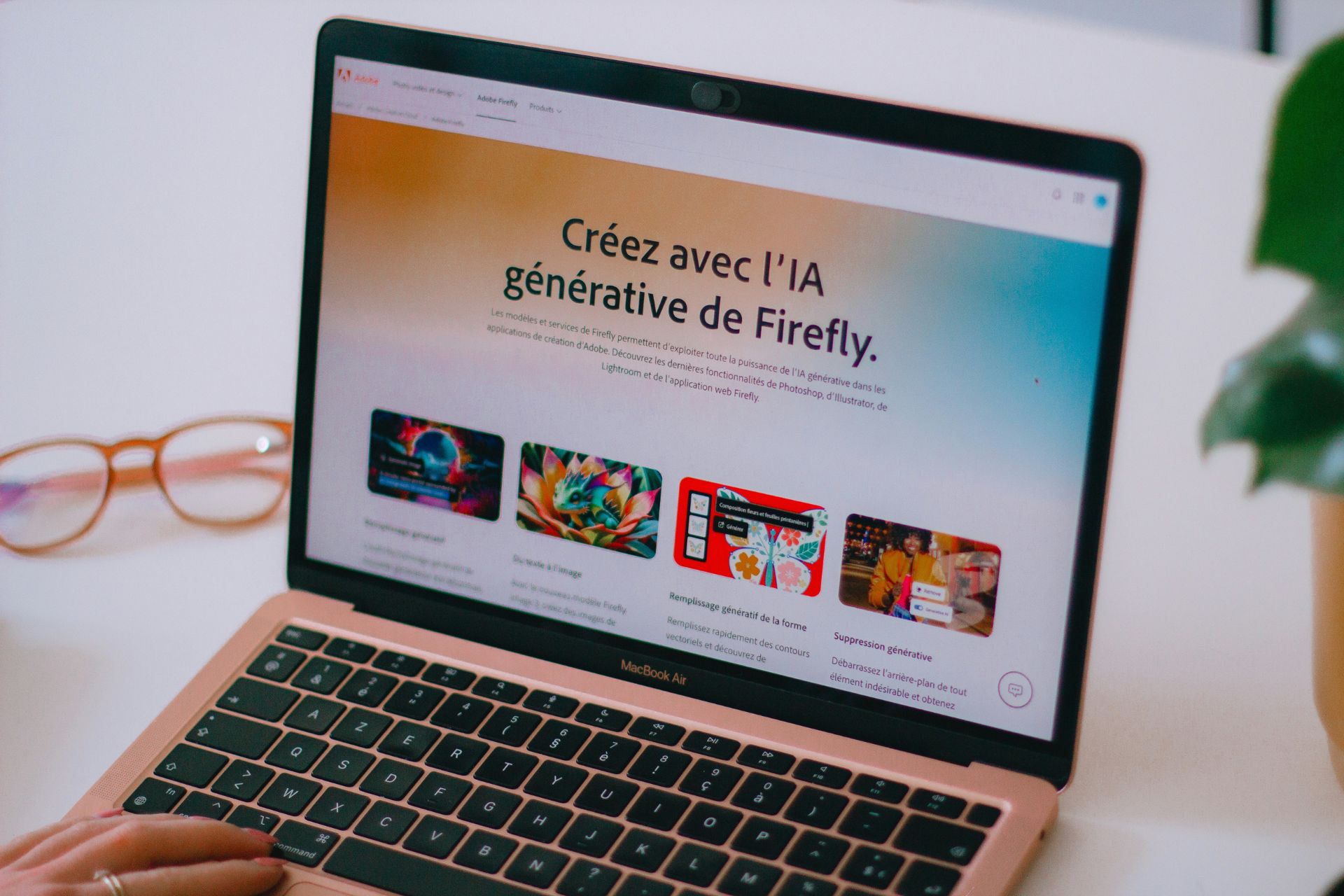
Adobe Firefly is Adobe’s generative AI platform that helps creators generate video clips from text prompts. These clips are useful to have on their own or marketers can integrate them into larger video projects, making Firefly a flexible option for creators who want more control over visuals and motion. The tools focus on producing clean, stylized clips that fit well within professional workflows.
Key features and functionality:
- Text-to-video clip generation from simple prompts
- Controls for camera angle, motion and visual style
- AI-generated backgrounds, transitions and effects
- Seamless integration with Adobe tools like Premiere Pro and After Effects
- Trained on licensed and public-domain content for commercial safety
Limitations of the free plan:
- Limited number of generative credits per month
- Short videos
- Higher resolutions and extended usage require a paid plan
Adobe Firefly works best for those who want AI-generated video clips that can plug into professional Adobe workflows. It is a strong choice for creating polished visuals, B-roll or motion elements without starting from scratch.
3. Sora
Sora is OpenAI’s text-to-video model that generates short video clips from written prompts. Unlike template-based tools, Sora focuses on creating more cinematic, scene-driven videos that interpret descriptions with realistic motion, lighting and perspective. It is still early-stage, but it gives a strong glimpse into where AI video generation is headed.
Key features and functionality:
- Text-to-video generation from detailed prompts
- Realistic motion, environments and camera movement
- Ability to generate short, narrative-style clips
- Strong visual coherence compared to earlier AI video tools
- Continues to evolve as OpenAI expands access and capabilities
Limitations of the free plan:
- Access is limited and may require waitlist approval
- Video lengths are short
- Customization controls are more limited than traditional editors
Sora is for creatives, storytellers and marketers who want to experiment with AI-generated video concepts rather than produce finished, brand-ready content. It is ideal for visual ideation, creative exploration and understanding what next-generation text-to-video AI can do.
4. Grok Imagine
Grok Imagine is part of xAI’s Grok platform and generates visual content from text prompts, including short video clips and animated visuals. Built with experimentation in mind, it leans more toward creative exploration than polished marketing output. The experience feels fast and flexible, especially for users already interacting with Grok through X.
Key features and functionality:
- Text-to-video and animated visual generation
- Prompt-based creation with minimal setup
- Made for quick experimentation and concept visuals
- Tight integration with Grox’s and X’s ecosystem
- Continually evolving feature set
Limitations of the free plan:
- Video outputs are short and may lack fine-grained controls
- Limited customization compared to dedicated video editors
- Visual consistency can vary depending on the prompt
Typical users of Grok Imagine are creators, marketers and curious users who want to experiment with AI-generated visuals and short video clips without worrying about complex tools. It is a good fit for ideation and exploratory content rather than finished, brand-ready videos.
5. Vidu
Vidu is a text-to-video AI that generates short video clips from written prompts, with a strong focus on motion quality and visual consistency. It is built for users who want more dynamic results than basic template-based videos, without needing a full video editing background. The platform leans toward creative storytelling and animated scenes rather than marketing-style layouts.
Key features and functionality:
- Text-to-video generation with an emphasis on smooth motion
- Support for cinematic-style scenes and animated visuals
- Prompt-based controls for pacing and visual direction
- Made for short-form video outputs
- Web-based interface with no complex setup
Limitations of the free plan:
- Video length is limited
- Output resolution may be restricted
- Fewer customization options compared to full editors
Using Free Text-to-Video AI Tools
Free online text-to-video AI tools are making video creation more accessible than ever, especially for small teams who need quick results without added costs. While free plans come with limitations, they are a great way to test ideas, create short-form content and explore what AI video can do.
As these tools continue to evolve, even free versions are becoming powerful enough to support real-world creative and marketing needs. Choosing the right platform ultimately comes down to how much control, polish and experimentation your projects require.

Leave a Comment