



In This Article
It used to be that you needed special software and technical skills to create 3D graphics. At the same time, even a modest asset often required spending hours learning how to use complex technologies or hiring someone else to do the work. AI 3D modeling generators are changing that by speeding up the process and making it easier for beginners. Now, anyone can make their first 3D asset in less than 10 minutes with a few simple steps.
What Is an AI 3D Modeling Generator?
An AI 3D modeling generator is a program that generates 3D models from simple inputs such as text prompts, sketches or pictures. In traditional modeling software, you have to design shapes point by point. With this method, you tell it what you want, and it makes a beginning asset for you. Many systems currently support text-to-3D workflows. These processes turn simple written descriptions into models that may be changed in a matter of minutes.
These tools are becoming more widespread since there is a growing need for 3D content in fields including gaming, e-commerce, architecture and virtual reality. The market for AI image-to-3D generators is predicted to expand from $255 million in 2024 to over $2612.26 million by 2035. This shows how quickly designers are embracing these workflows.
AI 3D generators assist newcomers in getting started by getting rid of some of the greatest problems that have always been there:
- Speed: You may make a functional starting asset in minutes instead of spending hours modeling items by hand.
- Cost-effectiveness: Compared with professional 3D software stacks, several solutions offer free or lower-cost tiers.
- Accessibility: You do not need to be a modeling expert to make simple props, iconography, product mockups, or scene elements.
Because of this, AI 3D modeling generators are gradually becoming one of the simplest ways for anyone to start working with 3D material.
A Step-by-Step Guide to Your First 3D Asset
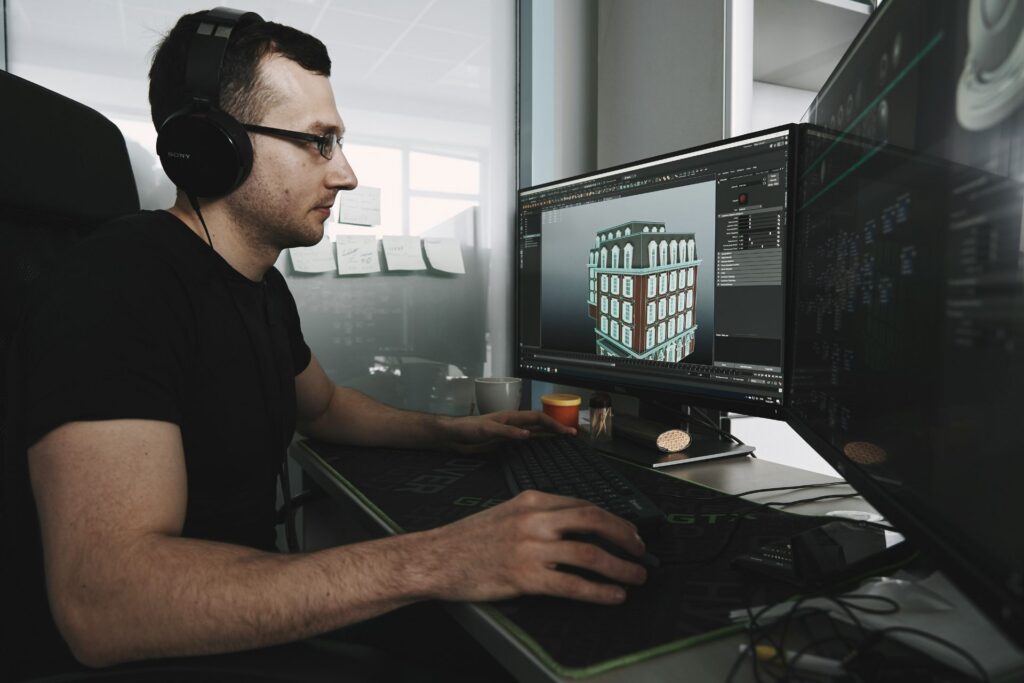
Now that you understand what an AI 3D modeling generator does, the next step is seeing how simple the process can be in practice.
1. Choose Your AI Generator
Choosing a platform to work with is the first step. There are many AI 3D modeling generators, but most are designed for different purposes. It is best to start with one that fits what you want to make. If you are new to something, seek a tool with a free tier or trial so you can try it out without feeling rushed.
For instance, Luma AI’s Genie is a great option if you want to make realistic, detailed models. It is very helpful for making product mockups, digital art or concept art that needs to look authentic.
If you want to make anything for a website or an interactive experience, Spline is usually easier to start with because it runs in your browser and has built-in AI tools for quickly making scenes and simple animations.
On the other hand, tools like Masterpiece X are better for creators who want to keep improving their model after it has been made. If you want to sculpt, texture or add to your asset after the AI output, these are good options.
2. Write a Clear and Descriptive Prompt
How well you define what you want the AI to make has a major effect on the quality of the 3D product. Your prompt is like a set of instructions — the more explicit you are about the object, the better your results will be. Even little descriptions can make a big difference in how realistic and useful the model feels.
Here are some tips for composing your prompt:
- Be more detailed about the object: Instead of saying “a chair,” say “a modern minimalist armchair with a curved backrest and slim wooden legs.”
- Tell it what the materials are: To help the generator, talk about the surface attributes, like light oak wood, matte plastic, rough stone, or shiny chrome.
- Choose the look: Depending on what you want to do, you could use styles like photorealistic, low-poly, cartoon or art deco.
- Specify colors: Avoid vague color descriptors — be specific about hues. For example, say “deep navy blue upholstery with brushed-gold accents.”
A lamp, for instance, can be a weak stimulus. A better version would be a modern desk lamp with a matte-black metal base and warm white light, in a simple style. The second question provides the generator with much more information to work with, which usually makes the starting item look better.
3. Generate, Review and Refine
The next stage is to make your model after your prompt is ready. The AI will take your request and make a first version of your 3D object in only a few seconds after you click the “generate” button. It is great to see results quickly, but keep in mind that the initial version is usually just the beginning and not the final product.
Take a look at the model from different perspectives and see if any parts may be better. If something does not feel right, try changing your prompt slightly to create a new version. Many generators also include basic editing tools that help you smooth out surfaces or make changes to the same prompt. This makes it easy to improve your item without having to start over.
4. Export for Real-World Use
The last step is to export your model so you can use it in your project whenever you are ready. You can usually download your asset in several formats from AI 3D modeling generators. Which one you choose depends on where you plan to utilize the model next. If you understand the principles of these formats, you can ensure your item works well across websites, design tools and 3D software.
Below are a few of the most common export formats you will see:
- .gltf / .glb: Often described as the “JPEG of 3D,” this format is widely used for web experiences, ecommerce product previews, social media filters and augmented reality applications. It packages the model and its textures into a single file, which makes it easy to upload and share.
- OBJ: This one is older, but it is one of the most widely supported 3D file formats. It works well if you plan to open your asset in tools like Blender or Cinema 4D for additional editing. It is also a reliable choice when you want flexibility across multiple platforms.
- FBX: This format is commonly used in animation and game development workflows. It is especially useful if you plan to import your asset into environments such as Unity or Unreal Engine later.
Benefits, Limitations and Future Outlook

AI 3D model generators make it much easier to build assets quickly, but they are best used as starting points. After you create something, you may need to clean up the geometry, adjust the textures, or refine the proportions. Even so, the results are typically more than good enough to use straight away for early design concepts.
At the same time, the creative industry is quickly adopting new technologies. A survey indicated that 76% of creative professionals already use generative AI technologie. Those that do use it feel they have helped their businesses grow. This result highlights how quickly these technologies are becoming a normal part of design work.
As tools improve in model quality, texturing and editing controls, it will become even easier and faster to create 3D assets that work with AI. As 3D workflows move further toward hybrid human-plus-AI development, learning how to deal with AI-assisted models currently gives you a big advantage.
Getting Started With AI 3D Modeling Generators Is Easier Than You Think
You do not need to know how to use complex tools or have years of modeling experience to make your first 3D object. You can go from a concept to a usable asset in only a few minutes with an AI 3D modeling generator. All you have to do is pick the proper tool, write a clear prompt, and improve your results. Learning how to use AI-assisted 3D now can lead to faster, more creative processes in design projects as these tools improve.


Leave a Comment