

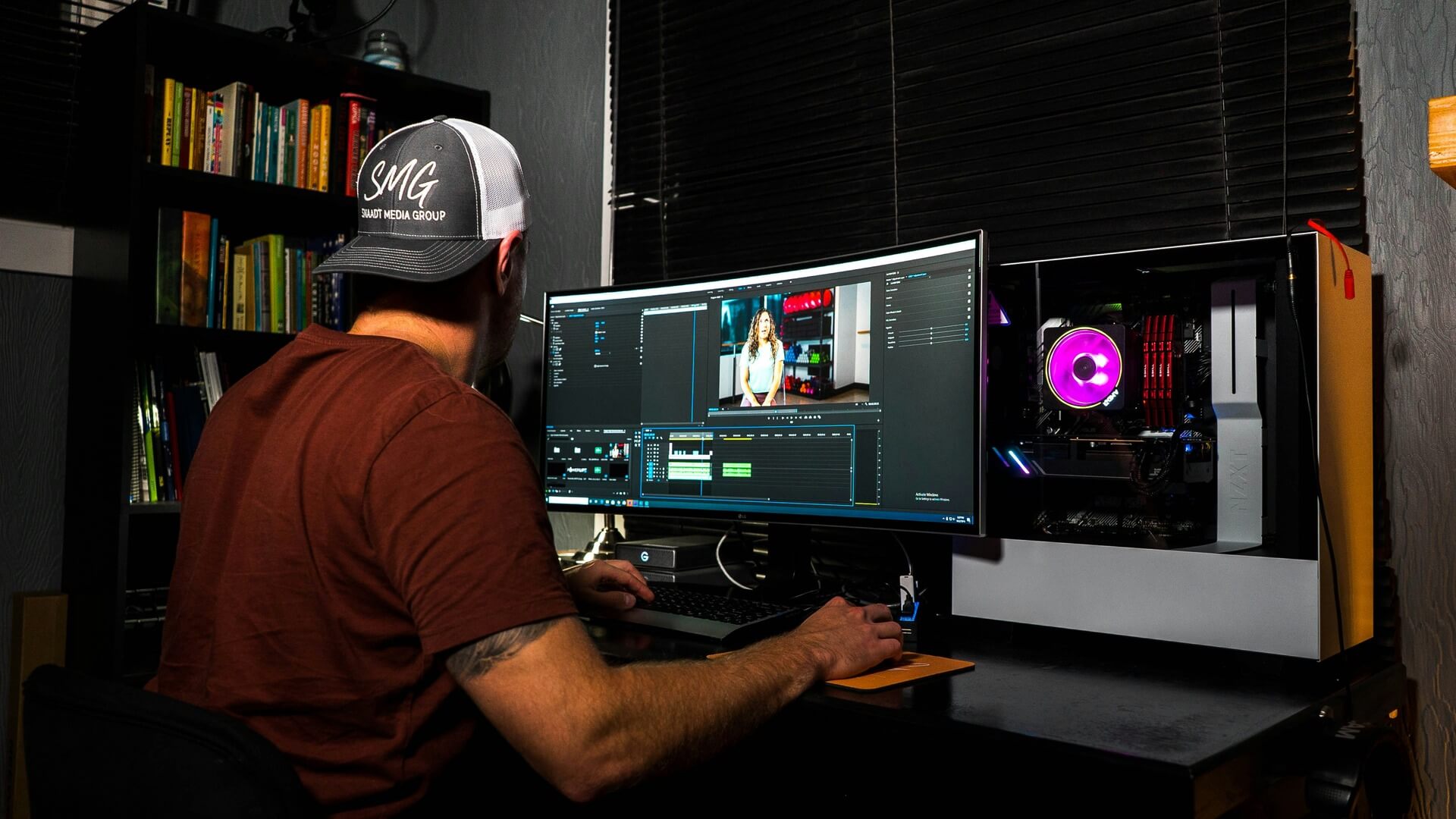


Postproduction video editing plays a critical role in shaping how audiences experience a brand’s message. Strong editing enhances clarity, engagement, and conversions, while weak execution can undermine even high-quality footage.
With video continuing to dominate digital communication, refining postproduction workflows has become essential. The following are the most common mistakes in postproduction video editing — along with practical ways to avoid them.
- Lack of a Clear Editing Objective
A common issue in postproduction begins before the first cut. Editors often dive into timelines without a clear purpose, leading to scattered storytelling and inconsistent pacing. When a video lacks a clear goal, the final output feels unfocused and fails to guide viewers toward a meaningful action.
A structured approach solves this. Teams benefit from defining the video’s purpose early — whether it supports brand awareness, lead generation, or education. Creating a simple outline or storyboard keeps the edit aligned with business goals. Establishing a clear call to action before editing begins ensures every cut contributes to a cohesive message.
- Poor Pacing and Timing
Pacing is key to keeping viewers engaged. Studies show the average attention span on a screen is just 47 seconds, with half of viewers losing focus in under 40 seconds. This makes every moment in a video critical for capturing attention and delivering messages effectively.
Trim unnecessary content and use b-roll, jump cuts, and scene changes to maintain flow. Faster edits often work best on social media, helping videos hold attention from start to finish. Planning scenes with timing in mind ensures viewers stay engaged throughout the entire video.
- Overusing Effects and Transitions
Over-editing remains one of the most visible mistakes, especially in marketing content. Excessive transitions, filters, and motion graphics often distract rather than enhance. Instead of supporting the narrative, these elements compete for attention and reduce clarity.
A more disciplined approach improves results. Clean cuts and minimal transitions keep the focus on the content itself. Effects should serve a purpose, such as emphasizing a key moment or improving flow. Consistency in style also strengthens professionalism. When visual elements remain subtle, the message carries more impact.
- Poor Audio Quality
Audio quality frequently receives less attention than visuals, yet it plays a major role in perceived production value. Uneven levels, background noise, or unclear dialogue can make content feel unpolished and difficult to follow.
Improving audio starts with proper leveling. Dialogue, music, and sound effects should remain balanced throughout the video. Noise-reduction tools help remove unwanted sounds, while consistent volume ensures a smoother viewing experience. Reviewing edits with headphones provides a more accurate sense of audio quality before final export.
- Ignoring Proper Color Correction and Grading

Color inconsistencies can quickly degrade a video’s visual quality. Clips shot under different lighting conditions often appear mismatched when left uncorrected, disrupting continuity and weakening brand presentation.
An effective workflow begins with color correction — adjusting exposure, contrast, and white balance for consistency across clips. Color grading then enhances mood and aligns visuals with brand identity. Using professional tools such as waveform monitors and vectorscopes helps maintain accuracy beyond visual guesswork.
- Inconsistent Branding
Video content that lacks consistent branding creates confusion and reduces trust. Variations in fonts, colors, tone, or graphic styles make it harder for audiences to recognize and connect with a brand.
Consistency strengthens recognition. Editors should follow established brand guidelines throughout the editing process, applying uniform typography, color palettes, and logo usage. Maintaining a cohesive tone across visuals reinforces credibility and professionalism.
- Neglecting Mobile Optimization
Many videos are still edited for desktop, even though audiences watch mainly on mobile. This leads to small text, poor framing, and reduced impact. With 89% of businesses using video as a marketing tool, mobile optimization has become essential to maintaining visibility and engagement.
Optimizing for mobile improves accessibility and engagement. Editors should consider vertical or square formats where appropriate and ensure that text remains readable on smaller screens. Testing videos across multiple devices helps confirm that the final output performs well in real-world conditions.
- Overlooking Legal and Licensing Considerations
Using unlicensed music, footage, or graphics can create serious risks for businesses. Beyond potential legal issues, content may be removed from platforms, disrupting campaigns and damaging credibility.
A proactive approach ensures compliance. Editors should rely on royalty-free or properly licensed assets and keep documentation for all third-party materials. Verifying usage rights before publishing protects both the content and the brand behind it.
- Weak or Missing Story Structure
Videos can lose impact without a clear story. Short, focused content performs best, with TikTok recommending 21-34 seconds for In-Feed ads. A clear beginning, middle, and end keep viewers engaged and ensure the key message is understood.
Start with a strong hook, deliver the main points quickly, and end with a clear call to action. Trimming unnecessary content and carefully planning scenes help maintain attention and make videos more effective.
- Skipping Feedback and Review

Editing in isolation often leads to missed errors and overlooked improvements. Without external input, small issues in pacing, clarity, or messaging can remain unresolved.
Incorporating feedback strengthens the final output. Sharing drafts with stakeholders or team members provides fresh perspectives and identifies areas for refinement. A structured review process, combined with time for revisions, leads to more polished and effective videos.
- Poor File Management and Organization
Disorganized project files create inefficiencies that slow down production and increase the likelihood of errors. Lost assets, unclear naming conventions, and version confusion can disrupt workflows.
A clear organizational system improves productivity. Using structured folders, consistent file naming, and version control helps teams locate assets quickly and maintain clarity throughout the editing process. Efficient organization becomes especially valuable as projects scale.
- Exporting in the Wrong Format
Even well-edited videos can underperform when exported incorrectly. Issues such as low resolution, improper aspect ratios, or incompatible formats reduce quality and limit platform performance.
Proper export settings ensure optimal results. Editors should match resolution, bitrate, and format to the intended platform. Standard formats such as MP4 with H.264 encoding provide reliable quality across most channels. Testing exports before publishing helps confirm performance and playback quality.
Quick Action Tips to Improve Postproduction Editing
Improving postproduction workflows is more than just about fixing mistakes. It’s also about working smarter and adding creative polish. Here are actionable tips to help editors elevate their work:
- Use proxy files for smoother editing: Editors can work with lower-resolution copies of footage to speed up editing, switching to full-resolution only for the final export.
- Leverage keyboard shortcuts: Mastering shortcuts in editing software saves time and streamlines workflow.
- Organize assets early: Clearly labeled clips, audio, and graphics prevent delays and confusion later in the project.
- Experiment with audio layers: Adding ambient sound, subtle music, or foley effects can enhance depth and immersion.
- Keep a color reference board: Consistent color palettes or mood boards help maintain visual cohesion across scenes.
- Use adjustment layers for effects: Applying effects to adjustment layers instead of individual clips saves time and ensures consistency.
- Preview on multiple screens: Testing edits on monitors, laptops, and phones ensures quality across devices.
- Create templates for repeated formats: Reusable intros, outros, or lower-third templates speed up recurring projects.
- Take breaks to reset perspective: Stepping away from the edit helps editors spot pacing, audio, or continuity issues.
- Stay updated on tools and plug-ins: Explore new plug-ins, AI tools, and software updates to enhance workflow and creative options.
Strong Editing Drives Stronger Results
Effective postproduction video editing shapes how audiences perceive and respond to content. For designers and marketers, avoiding common mistakes leads to clearer messaging, stronger branding, and improved engagement.
By focusing on purpose, consistency, and execution, editing becomes a strategic advantage. Small refinements in workflow and decision-making can deliver meaningful performance improvements, helping video content achieve its full potential.

Leave a Comment