




In This Article
Motion blur has become a deliberate creative strategy. For SMB owners, designers and marketers, it offers a compelling way to communicate energy, movement and emotion in visual content. Whether used in product photography, digital ads or social media campaigns, motion blur transforms static visuals into immersive brand experiences.
At its core, motion blur occurs when movement is captured over time, producing streaks or trails that suggest speed and dynamism. What once required manual camera settings and professional equipment can now be achieved with a smartphone and the right app.
Why Motion Blur Matters for Businesses
Motion blur is more than a stylistic choice. It’s a performance-driven tool in modern marketing.
Globally, 63.9% of the population uses social media and spends over two hours per day on these platforms. This constant exposure creates intense competition for attention, especially in fast-scrolling environments.
Motion blur helps brands break through that noise by:
- Capturing attention instantly: Movement naturally draws the eye.
- Enhancing storytelling: It conveys action, emotion, and context.
- Improving engagement: Dynamic visuals outperform static ones.
- Elevating brand identity: Creative execution signals innovation.
The 8 Best Photography Apps for Motion Blur Effects

The right app can make motion blur easy, precise and visually impactful even without advanced skills. The following tools help SMBs, designers and marketers create dynamic, professional-quality visuals quickly, whether for social media, ads or branded content.
Filmora offers a powerful editing tool that goes beyond basic filters. It enables users to apply motion blur dynamically using keyframes and motion tracking. It also supports video-first workflows, making it ideal for ads, reels and branded content that require cinematic, professional-quality movement effects.
Key strengths:
- AI-powered editing features
- Precision motion tracking
- Ideal for video-based marketing
2. Motion Blur Photo Effect
Motion Blur Photo Effect focuses entirely on motion blur, allowing users to apply directional blur quickly. Its simple interface and real-time preview help users create dynamic visuals efficiently without needing advanced editing skills or technical knowledge. It’s a practical choice for social media managers who need fast, high-impact visuals.
Key strengths:
- Beginner-friendly interface
- Real-time preview
- Adjustable blur direction and intensity
3. Blur Photo Editor
Best for AI-powered precision, Blur Photo Editor combines artificial intelligence with traditional editing tools, allowing users to apply blur selectively. Designers can isolate products or people while blurring backgrounds, creating polished visuals that maintain focus and enhance storytelling. This app is ideal for product photography and branded visuals.
Key strengths:
- AI subject detection
- Multiple blur styles
- Background isolation
4. Bluur Cam
Bluur Cam offers a wide range of blur effects, including motion, radial and mosaic styles. It encourages creative experimentation, making it useful for brands testing different visual approaches or developing unique, eye-catching content designs.
Key strengths:
- Multiple blur types
- Simple editing workflow
- Strong creative flexibility
5. Motion ProCam
Motion ProCam simulates true long-exposure photography by combining multiple frames. This app is ideal for capturing real-world motion and natural light trails, such as traffic, crowds or environmental movement with professional-level realism.
Key strengths:
- Realistic light trails
- Advanced exposure control
- Professional-level results
6. Spectre Camera
Spectre uses AI to automatically create long-exposure images. It stabilizes images and blends frames seamlessly, allowing users to create motion blur effects effortlessly, even in low-light or handheld shooting conditions.
Key strengths:
- AI stabilization
- Automatic motion capture
- Great for low-light scenes
- Beginner-friendly app
7. VSCO
VSCO focuses on refined, film-inspired edits rather than dramatic effects. Its motion blir tools create subtle effects that enhance mood without overpowering the image, making it ideal for brands that prioritize consistency and refined visual identity.
Key strengths:
- High-quality presets
- Consistent visual style
- Minimalist interface
- Subtle, aesthetic motion blur
8. PicsArt
Best all-in-one creative platform, PicsArt integrates motion blur with a full editing suite, including layers, effects and design tools. Businesses can create complete visual assets — from social media posts to ads, within a single, flexible platform.
Key strengths:
- Layer-based editing
- Extensive effects library
- Built-in creative community
How to Choose the Right Motion Blur App
Choosing the right motion blur app requires a clear understanding of goals, workflow and skill level. The best tool helps in consistently producing high-quality visuals with minimal friction.
Skill Level
Start by considering experience with photo or video editing. Beginners benefit from straightforward tools, while experienced designers and marketers may prefer deeper customization options.
Content Purpose
Social media content often requires fast editing and visually striking results, while product photography demands precision and selective blur. Video-based campaigns need tools that handle motion over time. Matching the app to the content type ensures better results and a smoother workflow.
Control and Flexibility
The level of creative control matters. Some tools apply basic blur filters, while others adjust direction, intensity and focus areas. Apps with selective editing features help keep key subjects sharp while blurring the background, resulting in more professional visuals.
Output Quality
High-quality output is essential for brand credibility. Look for tools that produce natural-looking motion blur rather than artificial effects. Multi-frame processing and computational techniques often deliver more realistic results, especially for long-exposure styles.
Workflow Efficiency
Time efficiency is critical for SMBs and marketers. Choose an app that fits into the existing workflow, supports quick exports and works across devices if needed. Faster tools are better for daily content, while detailed editors are better suited to campaign-level visuals.
Brand Consistency
Ensure the app supports consistent styling. Presets or reusable settings help maintain a unified visual identity across campaigns.
The right choice balances ease of use, quality and creative control — turning motion blur into a reliable part of visual strategy.
Practical Tips for Creating Stunning Motion Blur
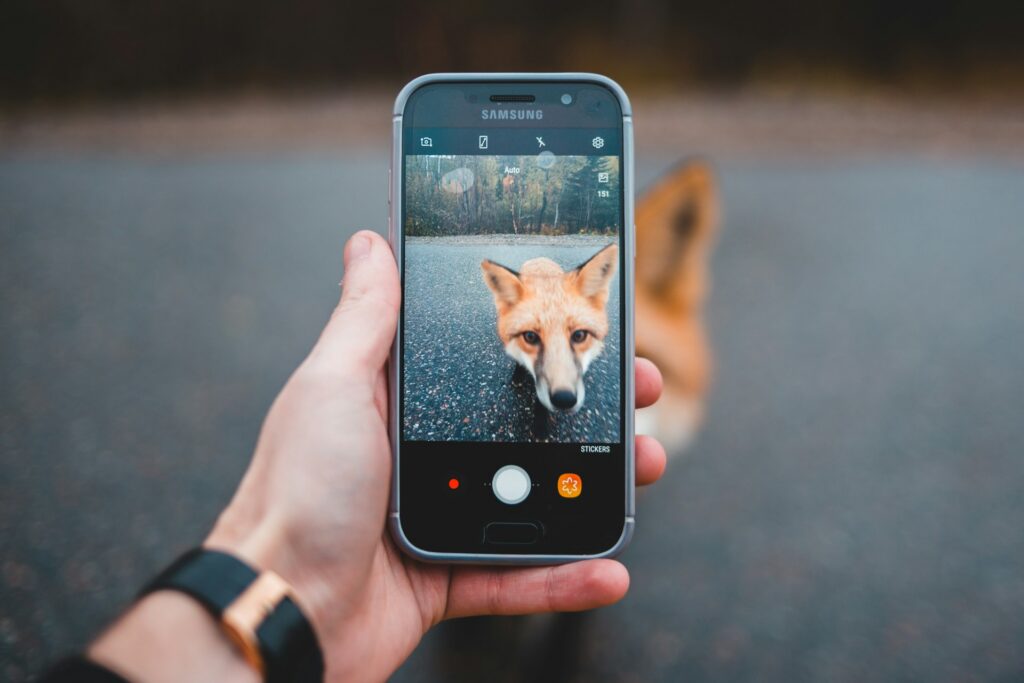
Even the best apps require thoughtful execution. These tips help maximize results:
- Keep a focal point sharp: A clear subject anchors the image and prevents visual confusion.
- Control direction intentionally: Align blur with the subject’s movement to create a natural flow.
- Use contrast for depth: Combine sharp and blurred elements to enhance visual impact.
- Experiment with layers: Stacking effects can create more sophisticated compositions.
- Stay consistent with branding: Use similar styles across campaigns to reinforce identity.
The Future of Motion Blur in Visual Marketing
Motion blur is turning into a defining element of modern visual storytelling. As generative AI continues to expand in various applications, the editing process has become easier and faster than before. The line between professional and mobile photography is also rapidly disappearing.
For SMBs, this shift presents a major opportunity. High-quality, movement-driven visuals are now accessible without expensive equipment or large creative teams. At the same time, rising competition means brands must be more intentional than ever in how they use visual techniques.
In today’s digital landscape, a visual marketing strategy is vital. For instance, 50% of U.S. adults use Instagram as of 2025, highlighting how visual-first platforms dominate modern communication. For businesses, visually engaging content is no longer optional — it’s essential.
Turning Motion Blur into a Competitive Advantage
Motion blur has evolved into a strategic creative tool for businesses of all sizes. It enhances storytelling, boosts engagement and helps brands stand out in visually saturated markets. With the wide range of apps available, from beginner-friendly tools to advanced editing platforms, there’s no barrier to entry. The key lies in choosing the right tool and applying motion blur with purpose.

Leave a Comment